Pushed an API key to GitHub? Do this in the next 10 minutes

Assume someone already has the key. A history rewrite takes it out of your repository, but not out of the copies scanners already made, or out of forks, clones and CI logs. Revoking the key makes every one of those copies useless at once. So revoking comes first, and the rewrite comes last.
That order matters because of how fast leaked keys get used. In a Comparitech honeypot study, researchers posted AWS keys in public GitHub repositories, and "it took just one minute for attackers to find and start abusing the exposed AWS secret key." Scanners watch GitHub's public push stream all day. A history rewrite takes you ten minutes; a bot needs one.
Here is the order I'd follow, with the reasons.

1. Revoke or rotate the key (minute 0 to 2)
Open the provider's key page and either delete the key or create a new one and disable the old. GitHub's own guide to removing sensitive data puts this first: "as a first step you need to revoke and/or rotate that secret." A key that no longer works can't hurt you, whatever happens to the repository afterwards.
These are the key pages for common providers. They are the same links Keyfold's key detection suggests when it spots one of these keys:
| Provider | Where to revoke or rotate |
|---|---|
| OpenAI | platform.openai.com/api-keys |
| Anthropic | console.anthropic.com/settings/keys |
| Stripe (secret, restricted, publishable keys) | dashboard.stripe.com/apikeys |
| Stripe webhook secret | dashboard.stripe.com/webhooks |
| GitHub token | github.com/settings/tokens |
| GitLab token | Personal access tokens |
| AWS access key | IAM console (the user's security credentials) |
| Google Cloud API key | APIs and credentials |
| Slack token | api.slack.com/apps |
| SendGrid | API keys |
| Twilio | console.twilio.com |
| Mailgun | app.mailgun.com |
| Resend | resend.com/api-keys |
| Hugging Face | huggingface.co/settings/tokens |
| npm | npmjs.com tokens |
| PyPI | API tokens |
| Supabase | Access tokens |
| DigitalOcean | API tokens |
| Vercel | vercel.com/account/tokens |
| Shopify | admin.shopify.com (the app's API credentials) |
| Telegram bot | @BotFather, with /revoke |
If production depends on the old key, create the new one, deploy it, then revoke the old one. A few minutes of overlap is fine. Leaving a public key alive "until Monday" is not.

2. Check what the key did (minute 2 to 5)
Now find out whether anyone used it:
- Usage and billing pages. OpenAI, Anthropic and most AI providers show usage per key or per day. A spike right after your push is the sign you're looking for.
- Audit logs. On AWS, CloudTrail shows every call the key made. In the Comparitech study, attackers used the key to read account details and try to launch large servers within minutes.
- What the key could reach. A read-only key that saw no use is a lucky escape. An admin key with unknown activity is an incident: look for new users, new keys, changed settings, and data that was read or exported.
Write down what you find, with times.
3. Find every other copy (minute 5 to 8)
The commit is rarely the only copy. Check:
- Other branches and tags in the same repository.
- Forks. GitHub's guide warns that if the commit "exists in any forks, it will continue to be accessible there."
- CI logs and build artifacts. Pipelines often print environment variables or bake them into images.
- Docker images you built from that repository and pushed to a registry.
- Your own machines and chats. The same key is usually also in a
.envfile, a note, a Slack message or an AI chat.
Every copy you find is a reason the rotation in step 1 was the right first move: you can't recall all of them, but you can make them useless.

4. Clean the git history (after the key is dead)
Once the key is revoked, removing it from history is tidy-up, not rescue. GitHub recommends git filter-repo, version 2.47 or later, with its sensitive-data option. To remove a whole file from every commit:
$ git filter-repo --sensitive-data-removal --invert-paths --path .envThen force-push the rewritten branches.
If you only leaked a key in one line of a file you want to keep, git filter-repo can also replace text. Its documentation covers --replace-text.
5. Make the next leak less likely
Most leaks come from the same few habits, so fixing those pays off:
- Keep keys out of the repository. Add
.env,.env.*and any secrets folder to.gitignore, and check what git already tracks withgit ls-files | grep -i env. A file committed before the ignore rule stays tracked. - Keep push protection on. GitHub's push protection for users is enabled by default and "stops you from pushing secrets to public repositories". It knows many provider key formats, not every secret. Don't click through its warning without reading it.
- Add a pre-commit hook. A secret scanner such as gitleaks or detect-secrets running before each commit catches keys before they leave your laptop.
- Load keys at run time. If your app reads keys from a vault when it starts, there's no
.envfile to commit. It's one of the reasons I built Keyfold: keys live in one encrypted file by project and environment, andkeyfold run -p acme-api -e production -- ./deploy.shgives them to one command at a time. - Give every key the smallest scope. A leaked read-only, single-project key is a bad afternoon. A leaked admin key is a bad month.
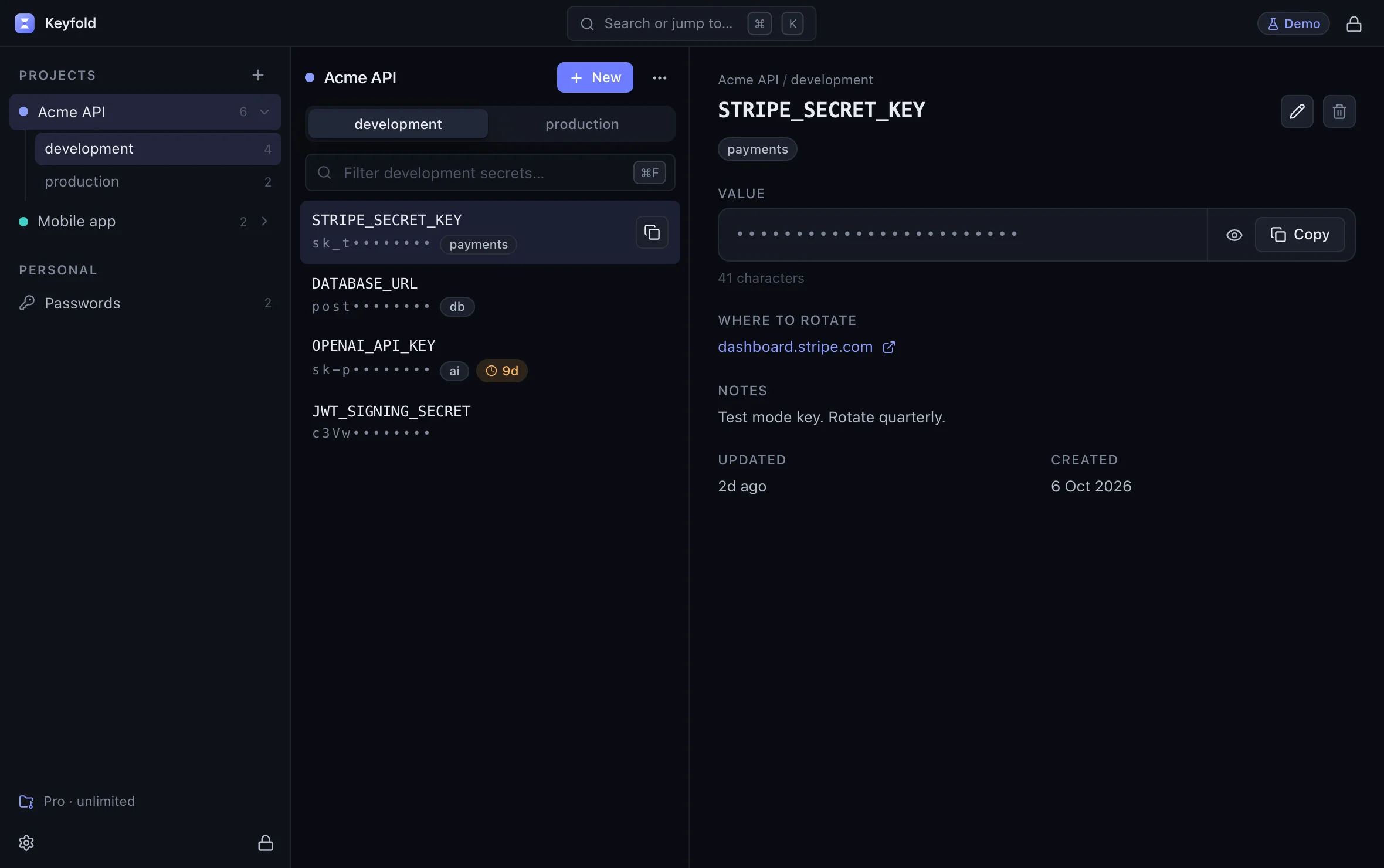
Keyfold also has an opt-in detector that recognises 25 key formats (including the providers above) when you copy a key or leave one in a project's .env file, and offers to move it into the vault. Each saved key keeps the link to where you rotate it, so step 1 is one click next time.
See .env key detection in the live demoOpens the live demo, with made-up keys
How big is this problem?
Big, and growing. GitGuardian's State of Secrets Sprawl 2026 counted 28.65 million new secrets in public GitHub commits in 2025, 34% more than the year before. It also found that 64% of valid secrets from 2022 were still active and exploitable: people deleted the commit, made the repo private, and never rotated the key.
FAQ
I made the repository private straight away. Am I safe?
No. Scanners copy public pushes within minutes, and forks or clones may already exist. Rotate the key.
I force-pushed a commit without the key. Is it gone?
Not reliably. Old commits can stay reachable through forks, clones, pull requests and caches, as GitHub's guide explains. Rotate the key, then clean history properly.
GitHub emailed me that it found my key. Has it already been revoked?
Some providers take part in GitHub's secret scanning partner program and may revoke or flag keys they're told about, but don't count on it. Check the key's status in the provider's dashboard and rotate it yourself.
What if the key was in a private repository?
The risk is lower but not zero: everyone with access, every fork, every CI system and every backup has a copy. If the key is valuable, rotate it.
How do I stop keys reaching git in the first place?
Keep them out of files in the repo. Load them from a vault when your code runs, use .gitignore and a pre-commit scanner as safety nets, and keep push protection on. The security page explains how Keyfold stores keys, and the comparison table shows how other tools handle the same job.
