.env files: how they leak, and safer ways to load secrets

The file isn't the problem by itself. Nothing in it is encrypted, any program you run in the project can read it, and nothing stops a copy from spreading. Once a copy is in a commit, an image or a chat, deleting your own file doesn't remove that copy, and the key in it keeps working until you rotate it.
You can keep using .env files for local test keys if you close the common leak paths. Below are the six leak paths I see most, each with the fix, and then the safer ways to load keys for anything that matters.

1. Committed to git
This is the classic one. Someone runs git add . before the ignore rule exists, or adds .env.local when .gitignore only lists .env, or uses git add -f. Once a file is tracked, adding it to .gitignore later doesn't untrack it.
The scale is large. GitGuardian's State of Secrets Sprawl 2026 counted 28.65 million new secrets in public GitHub commits in 2025, and found that 64% of valid secrets from 2022 were still active: people removed the file and never rotated the key.
Fix:
# ignore every variant, keep the example file
$ printf '.env\n.env.*\n!.env.example\n' >> .gitignore

# is anything already tracked?
$ git ls-files | grep -E '(^|/)\.env'

# stop tracking it without deleting your copy
$ git rm --cached .env2. Served by a web server
When a project folder is deployed as a web root, https://example.com/.env can return the file. In August 2024, Palo Alto Networks' Unit 42 described an extortion campaign built on exactly this: it "targeted 110,000 domains resulting in over 90,000 unique variables in the .env files", 7,000 of them for cloud services. Unit 42 traced it to "misconfigurations of victim organizations who inadvertently exposed their .env files", not to any cloud provider's flaw.
Fix: keep .env files outside the folder your web server publishes, and block dotfiles anyway. In nginx:
# deny hidden files such as .env and .git, but keep /.well-known for certificates
location ~ /\.(?!well-known) {
    deny all;
}3. Baked into Docker images
COPY . . in a Dockerfile copies your .env into the image if nothing excludes it, and every layer stays readable to anyone who can pull the image. Researchers at RWTH Aachen analysed 337,171 Docker Hub images and found that 8.5% included secrets, including 52,107 valid private keys and 3,158 API secrets.
Fix: add .env* to .dockerignore, pass runtime keys as environment variables when the container starts (from your platform's secrets settings), and use build secrets for anything needed during the build:
# Dockerfile: the secret exists for this one step and is not stored in a layer
RUN --mount=type=secret,id=npm_token,env=NPM_TOKEN npm ci$ docker build --secret id=npm_token,env=NPM_TOKEN .
4. Copied around: backups, sync folders, chats
.env files travel. They go into Time Machine and cloud backups, into Dropbox or iCloud folders when the whole projects folder syncs, into a zip sent to a contractor, into a Slack message "so you can run it locally", and into a support ticket. Each copy outlives the original and nobody tracks it.
Fix: never send a .env file to a person. Give each person their own keys where the provider allows it, and share a key, if you must, through a password manager or a one-time secret link, then rotate it when they're done. Keep the projects folder out of sync services, or at least keep keys out of the projects folder.
5. Read by AI coding agents
This one is new and growing. Coding agents like Claude Code, Cursor and Codex read files in your project to understand it, and a .env file is a file in your project. Once the agent reads it, the keys are part of the conversation sent to the model, and of the session history on your machine. Agents also run shell commands, and any command can cat .env. GitGuardian's report also counted 24,008 unique secrets in MCP configuration files on public GitHub, the files that connect agents to other tools.
Fix: keep keys out of the files an agent can open, and give keys to commands instead. For Claude Code, deny rules and the sandbox block .env reads; for any agent, a secrets server whose tools never return values lets it run your tests without reading the key.
6. Printed in logs and error messages
Frameworks that print their configuration on startup, a debug log that dumps process.env, a crash report that includes the environment, a CI step that runs env to debug a build: each one turns the .env file's contents into log lines that are kept and searched far longer than the file was. A database URL in an error message (postgres://app:password@db…) is a common one.
Fix: never log the whole environment, mask secrets in CI (most CI systems mask values you register as secrets), and read error output before you paste it into an issue or a chat.
Safer ways to load secrets
The pattern behind every fix above is the same: the key should exist only where it's used, for as long as it's used. In order of effort:
Keep
.envfiles for test keys only, never production keys, with the git, Docker and web-server fixes above.Load keys at run time from an encrypted store. The tool starts your command with the keys set, and no file is written:
# 1Password, with secret references
$ op run --env-file=./dev.env -- npm start

# Keyfold, from the local vault
$ keyfold run -p acme-api -e development -- npm start
Encrypt the file, if your workflow needs one in the repo. Tools such as dotenvx and SOPS encrypt values so the committed file is safe without the private key, which you keep elsewhere.
Use your platform's secrets settings in production. Hosting providers and CI systems store secrets encrypted and inject them at run time. That's where production keys belong, not in a file on a server.

Keyfold is my take on option 2 for developers who work alone: keys by project and environment in one encrypted file, .env import and export per environment for when a tool insists on a file, and an approval in the app for every request from the command line or an AI agent. The guide to storing keys on a Mac compares it with the Keychain, password managers and cloud tools.
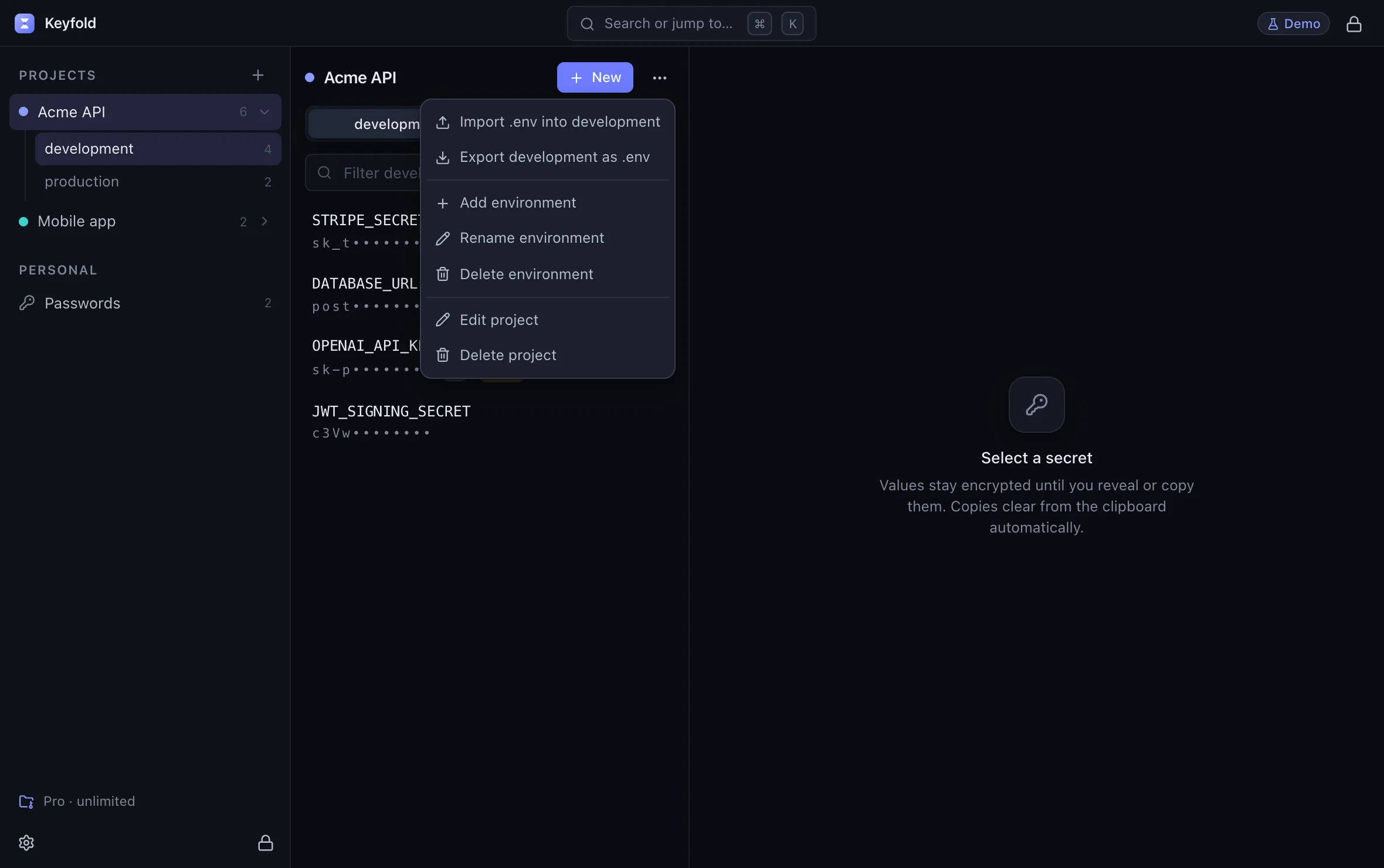
Try the .env import in the live demoOpens the live demo, with made-up keys
FAQ
Is it safe to commit a .env file to a private repository?
It's safer than public, but every collaborator, fork, CI system and backup now has the keys, and private repositories leak too. GitGuardian's 2026 report says internal repositories are "roughly 6× more likely than public ones to contain hardcoded secrets". Keep keys out of the repo.
Are .env files encrypted?
No. They're plain text unless a tool such as dotenvx or SOPS encrypts the values for you.
Is .env.example safe to commit?
Yes, if it contains names and placeholder values only. It's the right way to document which keys a project needs.
Should I use .env files in production?
Prefer your hosting platform's secrets settings or a secrets manager, which inject keys at run time and keep them encrypted at rest. A .env file on a server is one misconfiguration away from being public.
How do I move my existing .env files somewhere safer?
Import each file into an encrypted store, check the app still runs with keys loaded at run time, then delete the plain files and rotate any key that was ever committed or shared. The live demo shows Keyfold's import screen with made-up keys.
Keep reading

Where should you store API keys on a Mac?
Keychain, .env files, shell exports, a password manager or a developer vault: what each one protects, how scripts and AI agents reach it, and which to pick.

Pushed an API key to GitHub? Do this in the next 10 minutes
Leaked an API key in a public repo? Revoke it first, check what it was used for, then clean the history. The steps, and rotation links for 20 providers.

Keyfold vs 1Password for developers: an honest comparison
1Password wins for teams, sync and browser autofill. Keyfold fits solo developers who want API keys offline, by project, with each AI agent request approved.